
Security Analytics For Managing Security Screening Across Multiple Locations at Once
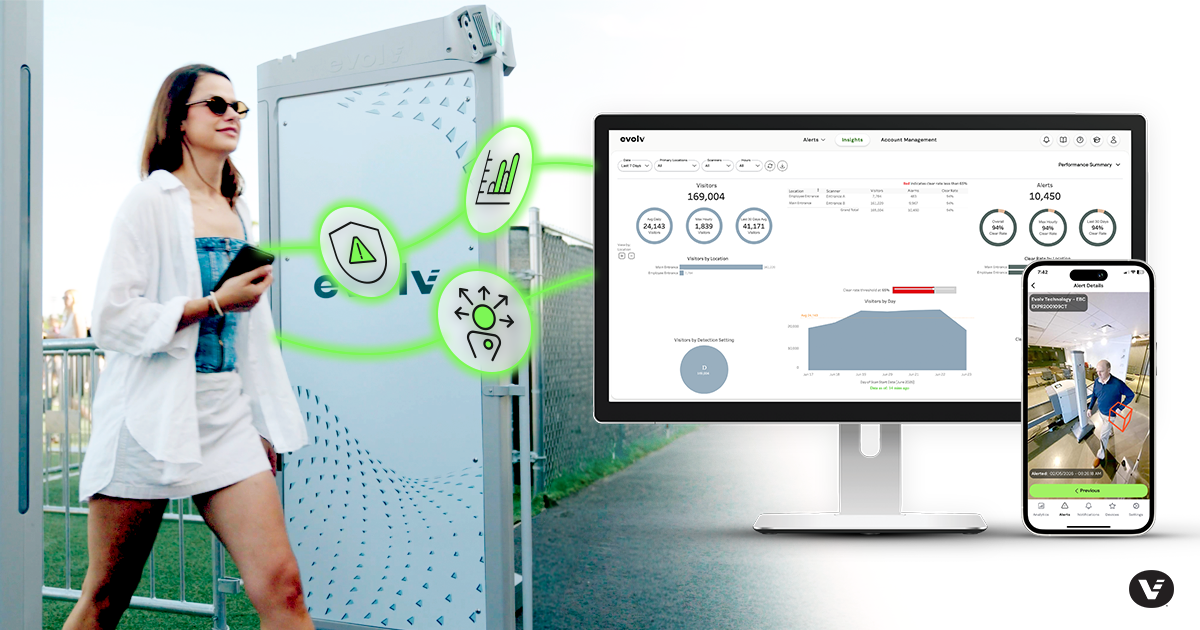
Installing a screening system is just the start. Once it’s running, you still need to manage entrances, coordinate staff, keep visitors moving, and keep leadership updated. If you oversee more than one building or campus, that gets harder fast without security analytics.
Questions that come up:
- Are the systems online?
- Is screening a smooth experience for visitors?
- Is today busier or slower than usual?
- Have any alerts come up that need attention?
Most teams answer these questions with phone calls, check-ins, and emails. The problem is timing. Screening activity changes by the minute. By the time an update reaches the right person, the moment it describes has often passed.
Who Needs Visibility Into Screening Operations?
A school district security director might be responsible for screening across multiple schools. A hospital security team might cover several entrances spread across one campus. A venue manager might need to confirm every system is ready before the crowds arrive. All three need the same thing: a clear picture of what’s happening, without having to stand at every entrance themselves.
Why Is Remote Access to Alert Images Important?
When a system flags an alert, the operator standing next to it usually knows the most. Everyone else is working from a phone call or a guess. That’s why many security leaders want the ability to pull up alert images remotely, so their team can stay informed and provide support when needed.
This matters after the fact, too. If a team needs to look back at a specific incident, or pull records for an investigation, having alert images and event logs on hand makes that possible.
What Happens When a Threat Is Identified During Screening?
When a staff member identifies and tags a threat, key personnel often need to know right away, including the security director, administrators, and operations leaders. Getting that notification out fast helps everyone stay coordinated, share what they know, and respond together instead of catching up later.
Using Screening Data to Inform Security Decisions
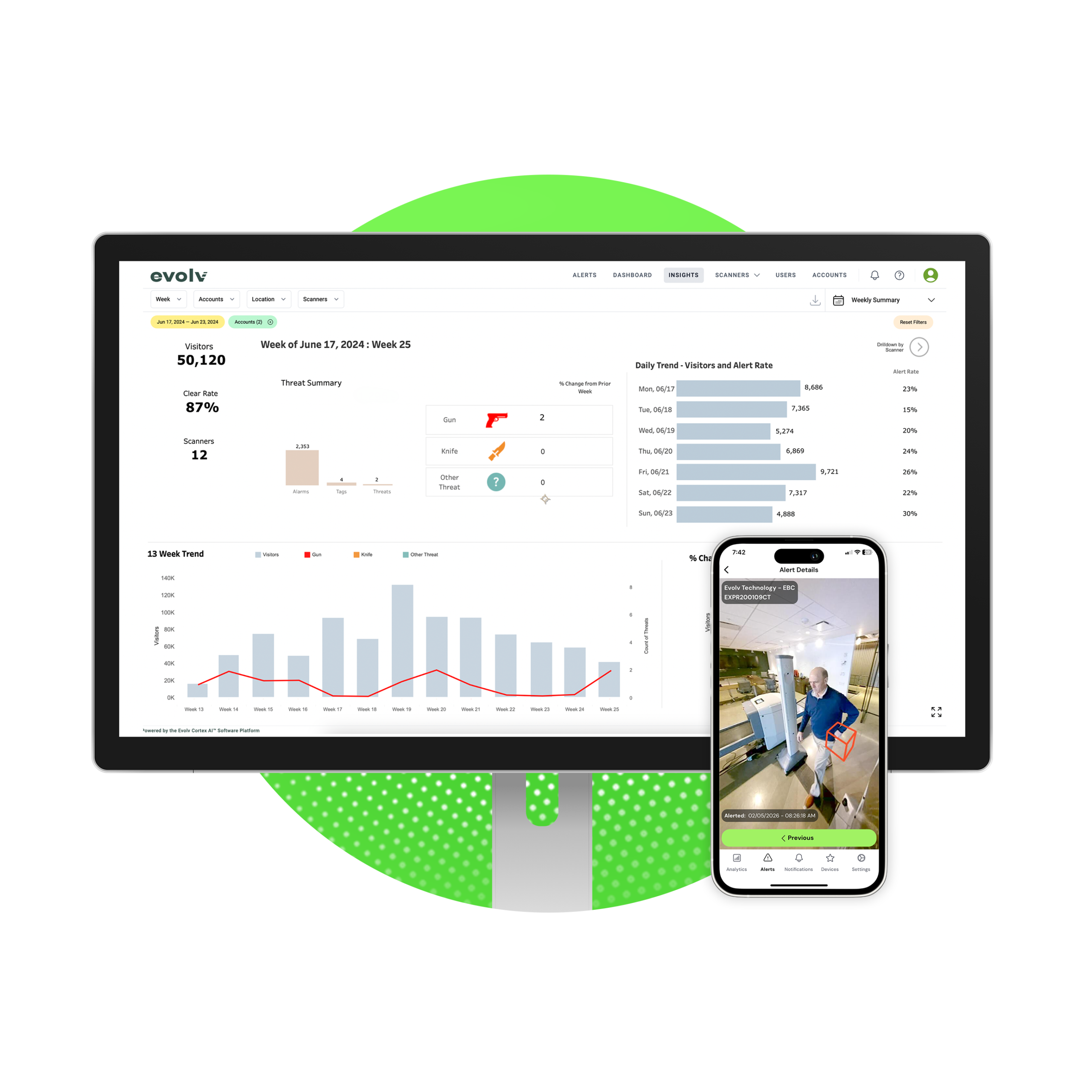
Leadership teams usually want to know several things, including how many visitors came through, how many alerts occurred, what type of alerts they were, how heavily each system is being used, and whether any of that is trending up or down over time. That information feeds into staffing decisions, budget requests, and the reports leadership already has to produce. It’s also the clearest way to show how screening is performing over time, not just today.
How MyEvolv and Evolv Insights Can Benefit Your Security Strategy
MyEvolv and Evolv Insights are built for exactly this.
Authorized users can check:
- Screening activity across every site they manage
- Pull up alert images remotely
- Adjust system settings
- Get notified the moment a threat is identified and tagged.
Evolv Insights turns that activity into dashboards, so teams can spot trends and explain results to stakeholders without building a report from scratch.
Supporting Security Operations from Anywhere
Other areas of security operations, like access control and video surveillance, already run on this kind of remote visibility. Screening is catching up.
With visibility into activity across entrances, locations, and deployments, security teams can support their operators and make confident decisions, wherever they happen to be.

MyEvolv and Evolv Insights® Product Manager
Maria Pis-Lopez is the Product Manager for Evolv's MyEvolv portal, mobile app, and integrations, where she leads product strategy across the platform's digital ecosystem. Prior to Evolv, she was a product leader at Ginkgo Bioworks, where she built a platform that helped thousands of schools and organizations keep their populations safe through COVID testing. Earlier in her career, she held senior product and customer success roles at several companies including Athena Health and TiVo, spanning healthcare technology and digital/TV advertising platforms. She holds a Bachelor of Science in Chemical Engineering from Tufts University, a Master of Science in Chemical Engineering from the University of Maine, and an MBA from Simmons University.


